

Live art direction becomes chaotic when the team tries to choose a concept, repair a product, set a crop, refine the prompt, and approve the final image at the same time. A Banana AI session works better with three decision stops. Each stop closes one question before the next begins, so feedback becomes an instruction instead of a pile of reactions.
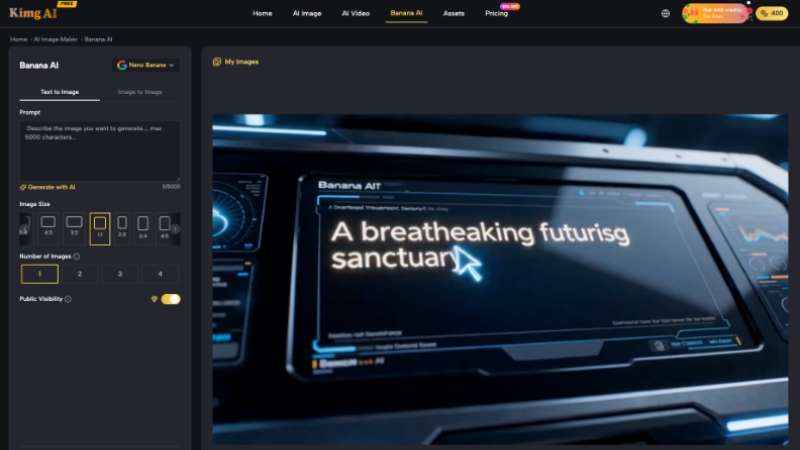
The controls are not the main source of confusion. Kimg AI provides Text to Image, Image to Image, multiple sizes, and one to four outputs per request; the cognitive load comes from using them without an order. A clear sequence separates the brief from generation and generation from correction. Everyone in the review can then see which question is still open.
Workflow Stop One Locks the Brief Before Generation
The first stop defines the communication job and the facts that cannot change. The team should be able to describe the audience, channel, required subject, primary message, and one visible success signal in a short paragraph. If the brief still contains competing goals, generation will hide the conflict inside attractive options rather than resolve it.
Write the Must Keep and Must Change
For an edit, divide the instruction into two lists. Must keep may include the person’s identity, product shape, logo, garment, camera angle, or approved text. Must change may include the background, lighting, prop set, or color mood. The split prevents a broad request such as make it premium from accidentally giving permission to redesign the subject.
Choose One Destination Size Before Reviewing
Select the image size that represents the main channel. A concept reviewed in a wide frame may fail when the real deliverable is vertical. Keep one ratio through the first comparison so every option solves the same spatial problem. Additional crops can follow after the direction is chosen. This avoids approving composition that depends on space the final placement does not have.
| Decision stop | Question closed | Evidence saved |
| Brief | What must the image communicate and preserve? | Must-keep and must-change list |
| Generation | Which direction best answers the brief? | Small comparable output set |
| Correction | What exact visible change remains? | Marked edit instruction and approval |
The saved evidence can be lightweight. A project note, selected image, and one marked screenshot may be enough. The important part is that the next operator can see which decision is closed and does not reopen it with a new prompt.
Set a time limit for each stop. If the brief cannot be locked in the available time, record the missing fact and pause. If the generation set does not contain a viable direction, decide whether the source or concept needs repair. A time limit prevents Kimg AI from becoming an escape from the unresolved question that caused the session to stall.
Stop Two Separates Generation From Correction
At the second stop, the team is choosing a direction, not perfecting it. Generate a small set with the same prompt, source, ratio, and output count. Review preservation first, communication second, and style third. A beautiful option that changes the product or misses the message should leave the set quickly.
Generate a Small Comparable Image Set
One to four outputs are enough for a focused comparison. If each candidate follows a different brief, the team cannot learn from the set. Keep the subject and required message stable. Let the options explore one assigned variable, such as lighting or composition. Name the difference so reviewers can compare causes rather than simply choosing the loudest thumbnail.
Mark One Failure Per Rejected Image
Record the most important visible reason for rejection: package shape changed, face drifted, headline has the wrong word, product lacks contrast, or crop removes the action. One primary reason is more actionable than ten taste comments. If the same failure appears across the set, the brief or source needs repair before another batch.
Use a parking list for ideas outside the active decision. A reviewer may suggest another audience, location, or campaign message. Those could be valuable, but adding them to the current prompt changes the job. Save them for a separate brief after the existing direction passes or is formally abandoned.
Reviewers should also separate rejection from diagnosis. Anyone can flag a wrong label or altered face. The maker then diagnoses whether the prompt, source, model route, or requested change caused the problem. This keeps the group from rewriting technical instructions in real time and lets the art director protect the communication goal while the operator chooses the next action.
Stop Three Converts Feedback Into an Edit
The third stop begins with one selected image. Feedback should now describe visible corrections, not reopen the style territory. Switch to Image to Image when the task is to preserve the approved composition and change a defined area. If the whole concept needs replacement, return to stop one and acknowledge that the brief has changed.
Turn Taste Words Into Visible Changes
Translate vague comments into objects and relationships. More premium may mean fewer props, deeper contrast, more empty space, and a lower camera angle. Friendlier may mean softer light, closer framing, and a relaxed expression. Ask the reviewer which visible change carries the judgment. The prompt should contain that answer, not the unexplained adjective.
Freeze Approved Areas Before Another Pass
Name the parts that already pass and should remain unchanged. When using Nano Banana for the next edit, preserve the selected subject, pose, product, and crop while changing only the identified region. Compare the result against the approved image, not against memory. A correction that improves the background but damages the label is not progress.
- Close the brief before choosing a visual direction.
- Compare small sets built from the same variables.
- Reject factual drift before discussing style.
- Translate taste words into visible edit instructions.
- Return to the brief when the concept truly changes.
Kimg AI becomes easier to direct when one person owns the active decision at each stop. The strategist closes the communication job, the art director selects the direction, and the maker executes the correction. Small teams can combine those roles, but they should still name which hat they are wearing before they comment.
Save the final approved image beside the brief and the last correction note. That compact package is more useful than a long prompt transcript because it shows what the team meant, what it chose, and what changed. A future adaptation can begin from approved evidence instead of reopening every experiment that happened during the session.
Fewer Simultaneous Decisions Produce Clearer Visual Work
This workflow fits live reviews, small creative teams, and client sessions where fast generation can otherwise create too many open questions. It does not make every output usable. It makes failure easier to locate and feedback easier to act on.
Stop one protects the brief. Stop two chooses a direction. Stop three makes the correction. When those decisions remain separate, the team spends less attention decoding comments and more attention checking the image. The result is not simply faster prompting; it is a clearer path from request to approved visual.