

Working from home has become a common part of modern life, and having a dedicated, well-designed workspace can make all the difference in productivity, focus, and comfort. A home office is not just a desk and a chair—it’s an environment that supports your workflow, boosts motivation, and helps you stay organized throughout the day. Whether you’re a freelancer, a remote employee, a student, or a business owner, the right home office setup can transform how effectively you work.
1. Choose the Perfect Location for Your Home Office
Choosing the right location is the first and one of the most important steps in creating a functional home office. Your workspace should allow concentration, comfort, and privacy.
Why the Location Matters
A well-chosen location helps avoid distractions, boosts productivity, and ensures you have enough space to work efficiently. Ideally, select a room or area that offers natural light, reduced noise, and a calm environment.
Good Location Ideas
- Spare bedroom: Perfect for privacy and storage.
- Corner of the living room: Works for small homes or apartments.
- Attic or basement: Great for quiet, isolated workspaces.
- Converted closet (cloffice): A space-saving home office setup for small areas.
- Unused dining area: With a little organizing, this becomes a professional workspace.
The right location helps you maintain a healthy boundary between work life and home life.
2. Invest in an Ergonomic Desk and Chair
Ergonomics is essential for comfort and long working hours. Poor seating can lead to back pain, low productivity, and fatigue.
Choosing the Right Chair
A quality ergonomic chair should:
- Support your lower back with lumbar support
- Have adjustable height and armrests
- Allow smooth mobility and rotation
- Offer a cushioned seat for long-term comfort
Selecting the Best Desk
Your desk should:
- Be wide enough to hold your laptop/monitor and accessories
- Have sufficient leg room
- Match your height to allow proper posture
- Optionally offer built-in drawers or shelves
Standing desks are also a popular modern option, letting you switch between sitting and standing to reduce fatigue.
3. Use Proper Lighting to Reduce Eye Strain
Lighting affects your energy, mood, and focus. A well-lit workspace helps prevent eye strain and keeps you alert.
Types of Lighting to Include
- Natural Light: A desk near a window boosts mood and focus.
- Task Lighting: A desk lamp for reading and writing tasks.
- Ambient Lighting: Soft, room-wide lighting to reduce glare.
- LED Lighting: Modern LED strips add style and brightness.
Avoid harsh fluorescent lights and aim for warm, balanced lighting that feels comfortable throughout long work sessions.
4. Keep Your Workspace Organized and Clutter-Free
A clutter-free workspace leads to a clear mind. Good organization saves time and reduces stress, helping you stay productive.
Organization Ideas
- Use floating shelves to store books and supplies.
- Add a desktop organizer for stationery.
- Use drawer dividers to separate items neatly.
- Label boxes for easy access.
- Use cable management solutions to avoid messy wires.
Minimal clutter means maximum productivity.
5. Add the Right Technology for a Smooth Workflow
A good home office setup must include reliable technology to ensure your workflow stays smooth and efficient.
Essential Tech Items
- High-speed internet: For virtual meetings and online tasks.
- Laptop or desktop: Depending on your needs.
- Large monitor: Prevents eye strain and improves multitasking.
- Wireless keyboard and mouse: Keeps your desk clean and functional.
- Printer/scanner: Useful for paperwork.
- Noise-cancelling headphones: Essential for focused work.
Your tech tools should match your job requirements and make your workflow easier.
6. Personalize Your Workspace for Inspiration
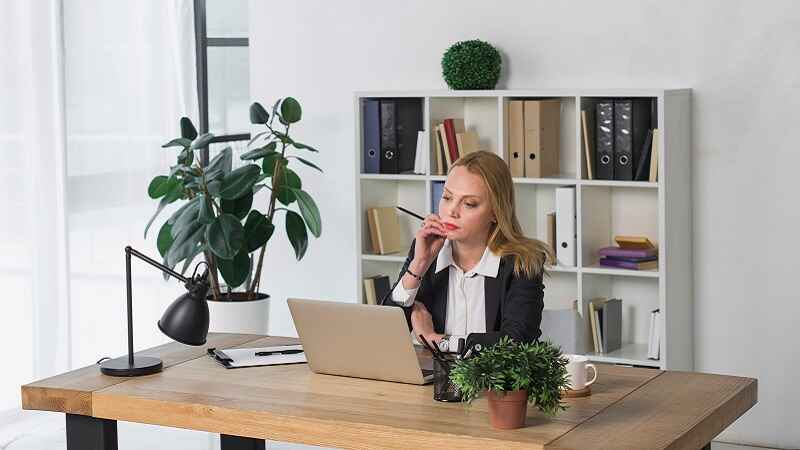
Personal touches can make your workspace inspirational and enjoyable.
Personalization Ideas
- Hang your favorite art or motivational quotes.
- Add indoor plants to improve air quality and mood.
- Use a stylish desk mat that matches your décor.
- Add pictures of family, friends, or pets.
- Use décor items like candles or small sculptures.
A personalized workspace keeps you inspired and motivated throughout the day.
7. Choose a Color Scheme That Boosts Productivity
Colors influence mood, comfort, and focus. A well-chosen color palette can improve your overall work atmosphere.
Popular Productive Colors
- White: Clean, bright, and modern.
- Blue: Calming and promotes deep focus.
- Green: Soothing and great for reducing stress.
- Grey: Neutral and stylish.
- Pastels: Soft tones that create a peaceful workspace.
Avoid overly bright colors like red or neon shades unless used sparingly as accents.
8. Use Smart Storage Solutions to Maximize Space
Efficient storage prevents clutter and keeps your office tidy.
Smart Storage Ideas
- Vertical shelves to use wall space.
- Pegboards for hanging tools, notes, or accessories.
- Filing cabinets for important documents.
- Under-desk storage drawers for frequently used items.
- Multi-purpose furniture like foldable desks or wall-mounted tables.
The goal is to keep everything within reach without overcrowding your workspace.
9. Improve Airflow and Temperature for Comfort
A comfortable room temperature and good airflow are essential for long hours of work.
Ways to Improve Office Comfort
- Use an air conditioner or heater based on weather.
- Improve ventilation with open windows or fans.
- Add indoor plants that help purify the air.
- Use an air purifier if your workspace feels stuffy.
Comfort leads to better productivity and overall health.
10. Cable Management: Keep Wires Hidden and Organized
Many home offices become messy due to tangled cables. Good cable management keeps your workspace clean and safe.
Cable Management Tips
- Use cable clips or holders.
- Install a cable tray under your desk.
- Use zip ties or Velcro straps.
- Label each cable for easy identification.
- Choose wireless devices wherever possible.
A clean workspace boosts confidence and organization.
11. Create Zones in Your Home Office
Dividing your workspace into zones helps keep your tasks organized and improves focus.
Common Zones
- Work Zone: Desk, chair, laptop/monitor.
- Reading Zone: A small chair or cushion for reading.
- Storage Zone: Shelves, cabinets, and organizers.
- Break Zone: A small corner for stretching or relaxing.
Zoning helps you separate tasks and maintain workflow balance.
12. Add Greenery for a Calm and Healthy Workspace
Plants enhance the overall mood and improve air quality. They also add natural beauty to your workspace.
Best Plants for Home Offices
- Snake plant
- Spider plant
- Aloe vera
- Peace lily
- ZZ plant
- Pothos
Even a single plant can make your workspace feel fresh and inviting.
13. Add Sound Control for Better Focus
Noise distractions can hurt your productivity. Sound control ensures you stay focused throughout your work sessions.
Soundproofing Ideas
- Add a rug to absorb noise.
- Use curtains or blinds to block outside sounds.
- Install acoustic foam panels.
- Use noise-cancelling headphones.
- Place your desk away from noisy areas.
A quieter workspace enhances concentration and efficiency.
14. Set Up a Dual-Monitor or Multi-Screen Workspace
A dual-monitor setup is perfect for multitasking, video editing, programming, writing, and design work.
Benefits of Dual Monitors
- Easier multitasking
- Larger viewing area
- Reduced switching between windows
- Improved workflow speed
If your job requires multiple apps or files open at once, this setup is highly recommended.
15. Keep Essential Supplies Within Reach
Having the essentials nearby saves time and helps you stay consistent in your workflow.
Common Office Supplies
- Notebooks
- Pens and markers
- Sticky notes
- Stapler
- Charging cables
- Headphones
- Files and folders
This setup reduces distractions and eliminates unnecessary movement.
16. Include a Comfortable Break Area
A break area helps you relax and recharge during work hours.
Break Area Ideas
- A small sofa or bean bag
- A coffee station
- A reading chair
- A yoga mat for stretching
- A shelf for books or magazines
Breaks help you avoid burnout and keep your mind refreshed.
17. Upgrade Your Workspace with Smart Home Devices
Smart devices make your home office more efficient and modern.
Useful Smart Devices
- Smart bulbs for adjustable lighting
- Smart plugs to automate appliances
- Smart speakers for reminders and voice commands
- Smart thermostats for climate control
- Smart cameras for security
Technology helps streamline your day and increases your productivity.
18. Maintain a Clean and Fresh Workspace Daily
Keeping your workspace clean ensures long-term productivity and motivation.
Daily Cleaning Tips
- Wipe your desk every morning.
- Remove unnecessary items before ending work.
- Empty your trash can regularly.
- Dust your shelves and electronics weekly.
- Organize papers into folders.
A clean workspace equals a clear mind.
Conclusion
Creating the best home office setup doesn’t require a huge budget or a large room. With thoughtful planning, smart organization, ergonomic furniture, and the right atmosphere, you can build a workspace that supports productivity, comfort, and creativity. Your home office should be a place where you feel motivated, focused, and inspired every day.
By combining the ideas in this guide—such as choosing the perfect location, investing in ergonomic furniture, optimizing lighting, organizing supplies, controlling noise, and adding personal touches—you can design a workspace that suits your professional needs and enhances your well-being More Read