

For most indie makers and creators, the novelty of generative AI has officially worn off. We have moved past the “magic” phase where seeing a text-to-image output was enough to justify a subscription. Today, the market is saturated with platforms offering access to the same handful of high-end models—Flux, Stable Diffusion, or various proprietary engines like Nano Banana.
The problem is that most comparisons of these tools are still stuck in the “feature checklist” era. Reviews focus on which models are available, the price per credit, and perhaps the speed of generation. This approach is fundamentally flawed for anyone trying to build a repeatable production pipeline. For an operator, the value of a tool isn’t found in the raw power of the underlying model, but in the efficiency of the secondary editing layer.
The goal isn’t just to generate; it is to get to “done.”
The Illusion of Feature Parity in Generative Media
If you look at the landing pages of the top ten AI image platforms, they look nearly identical. They all promise high-resolution outputs, “photorealistic” results, and “intuitive” interfaces. However, for a creator managing a brand or a product launch, these metrics are increasingly irrelevant.
The real bottleneck in 2024 isn’t the quality of the first generation; it’s the labor required to make that generation usable. Comparing a tool based solely on its model list (e.g., whether it has Flux vs. Seedream) is a surface-level exercise. While model fidelity matters, the “operational utility” of a tool is defined by how much it forces you to leave the platform to finish the job.
This leads to the concept of “Distance to Done.” If a prompt-to-image result is only 80% of the way to a finished asset, how many clicks, downloads, and re-uploads sit between that 80% mark and a published image? If you have to bounce between a generator, a separate upscaler, and a legacy design suite to remove a stray artifact, your “Distance to Done” is too high.
Measuring the Distance to Done
Context switching is the primary productivity killer for solo creators. When you are in the flow of iterating on a visual concept, the moment you have to download a file and move it to a different environment, you lose the “live” connection to the creative process.
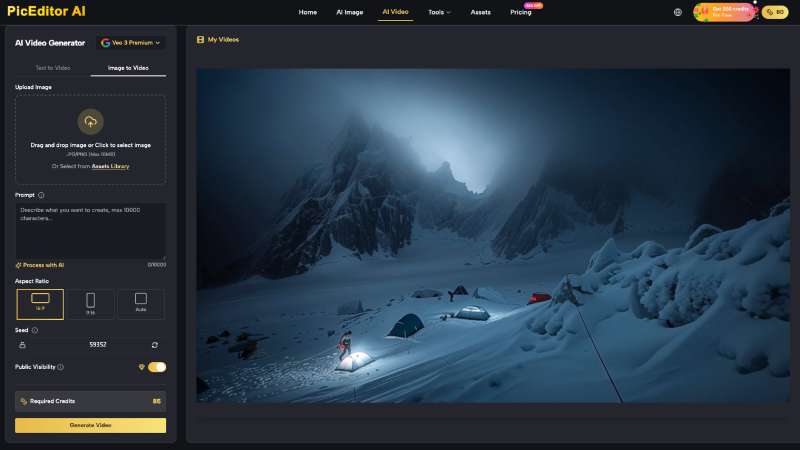
This is why the integration of an AI Photo Editor directly into the generative workflow is more than a convenience—it is a structural requirement. A tool like PicEditor AI attempts to solve this by keeping the remediation tools (upscaling, object removal, background manipulation) within the same UI as the generation engine.
When evaluating a workflow, you should measure the time-cost of minor corrections. For example:
- How long does it take to change the aspect ratio after the image is generated?
- Can you perform a “Face Swap” or “Object Erase” without a fresh generation cycle?
- Is the export speed hindered by complex UI layers, or is it a one-click process?
High fidelity is the baseline; high-velocity refinement is the competitive advantage.
Evaluating the Remediation Layer
Raw AI outputs are rarely production-ready. They suffer from anatomical glitches, lighting inconsistencies, or unwanted background elements. This is where the “Remediation Layer” comes in. This layer consists of the tools used to fix, polish, and scale an image.
When stress-testing an AI Photo Editor, the focus should be on precision over breadth. Many tools claim to have “background removal,” but how do they handle “difficult” hair or semi-transparent objects? Many claim to have an “object eraser,” but does it intelligently reconstruct the texture behind the removed item, or does it leave a muddy blur?
In a professional creator pipeline, you are often looking for tools that can handle the transition from a 512px raw generation to a 4K refined asset without losing the specific “soul” of the original prompt. If the upscaler changes the texture of the skin or the color of the lighting, the tool has failed its primary job of remediation. It has introduced new work rather than finishing the old work.
Model Agnosticism vs. Workflow Lock-in
There is a growing risk for creators who lock themselves into a single model ecosystem. If you rely entirely on one specific model—say, Flux or a specific version of Stable Diffusion—you are at the mercy of that model’s specific biases and failure points. Some models are excellent at cinematic lighting but fail miserably at rendering legible text. Others are great at architecture but produce “uncanny valley” faces.
The most resilient workflows are those that remain model-agnostic. Having multiple generative engines (like Qwen, Seedream, or GPT-4o for prompt expansion) under a single AI Photo Edit interface allows for a “best-of-breed” approach. You can use one model for the base composition and another for the specific character details or video animation components.
Practical judgment suggests that for indie makers, the “all-in-one” platform isn’t just about saving money on subscriptions; it’s about reducing the cognitive load of managing different prompt syntaxes and UI quirks across five different websites.
Hard Limits: What AI Still Cannot Solve Safely
To maintain a grounded perspective, we must acknowledge that generative tools are still prone to significant failures that no amount of “AI editing” can fully mask yet.
First, there is the persistent uncertainty of seed stability. Just because a tool produces a perfect result for one prompt does not mean it will produce a consistent result for the next ten variations. If your project requires 100 images with a consistent character or art style, most web-based AI tools will still require a heavy amount of manual vetting and post-production. You cannot yet automate the “quality control” phase of the workflow.
Second, lighting physics remains a major hurdle. While an AI Photo Editor can remove a person from a scene, it often struggles to correctly recalculate how the shadows on the remaining objects should change. Similarly, complex textile textures—like the specific weave of a sweater or the drape of silk—remain unreliable across nearly all generative platforms. If your work relies on high-fidelity fashion or architectural precision, expect to do manual “healing” in a traditional editor.
These limitations aren’t reasons to avoid the tools, but they are reasons to avoid over-promising to clients or stakeholders. Acknowledge that the AI gets you to the finish line faster, but you are still the one who has to cross it.
A Three-Step Stress Test for Your Workflow
If you are currently evaluating which platform to adopt for your 2024 projects, stop looking at the pricing page and start a “Stress Test” using these three steps:
Step 1: The Refinement Sprint
Generate a complex scene with at least three subjects and a specific background. Once generated, try to perform three specific edits: remove one subject, change the color of another subject’s clothing, and upscale the entire image to 4K. Clock how long this takes. If you have to leave the browser tab to finish any of these steps, the tool’s “Distance to Done” is too high for high-volume work.
Step 2: The Consistency Check
Run the same detailed prompt through three different models (e.g., Flux, Nano Banana, and Seedance) within the same platform. Observe how the UI handles the metadata. Does it save your prompt history clearly? Can you easily “fork” a generation into an editor without losing the original seed data? Consistency in data management is just as important as consistency in pixels.
Step 3: The Physics Failure Test
Give the AI a prompt that involves complex interaction, such as “a hand holding a glass of water reflecting a neon sign.” This is a known failure point for most models. Use the platform’s AI Photo Editor to try and “fix” the inevitable reflections or hand distortions. This will show you the true ceiling of the tool’s remediation layer.
In the end, the “best” generative media tool is rarely the one with the most famous model or the lowest price. It is the one that stays out of your way. For the indie maker, the goal is to spend less time fighting the software and more time refining the creative vision. The tools that succeed will be those that prioritize the “Distance to Done” over the hype of the generation.